
AI Enterprise BETA
Extend the capabilities of your people. Job Control System (JCS): run operational work as tracked jobs, reviewed by your team and connected to your systems.
Internal testing and select beta testers only.
What it is
AI Enterprise is a Job Control System (JCS).
A JCS takes a document or queue item, runs a defined workflow, calls the tools that workflow needs, and records the run.
Example path (in production at Dataforge): a vendor invoice arrives by email. The workflow reads the pages, checks the vendor against an approved-vendor list, structures the charges, handles CAD/USD conversion when needed, and posts clean voucher data to QuickBooks Online. If the vendor is missing or the document is unclear, the job raises an interaction for accounting. When the run finishes, you see status, output, and cost for that job.
- Tracked jobs: Status, history, cost, and deliverables on every run
- Paper trail: Inspectable inputs, outputs, summaries, cost, and who approved what
- Human review: Accept, edit, or reject before posting to connected systems
- Integrations: Accounting systems, email, and other secured connections
- Device agents: Connect jobs to remote machines you enroll, under allowlists and credentials
- Deployment: Cloud or on-premise (on-premise is premium)
"This is a Job Control System—not a chatbot that does whatever it wants. Parts of the flow use agents, but they are highly limited in what they can do."
Overview
A short introduction to AI Enterprise and the Job Control System idea—not a walkthrough of the portal.
Watch on this page, or open it on YouTube.
Built for operational work
Operational jobs that reach your systems, involve your people, and keep a durable record.
Systems of record
Prepare and post work into tools you already use. Our in-house path uses QuickBooks Online with Office 365 / Exchange email intake; other accounting and email systems follow the same job model.
Durable handoffs
Queues and tracked jobs keep the work available for the next step and the next person.
Operator checkpoints
Pause for review when policy or ambiguity requires it, then accept, edit, or reject before continuing.
Inspectable history
Status, guidance, and approvals stay on the job record for operational review.
Cost controls & reporting
See cost per job and cost rollups across runs so leadership can track what ran and what it cost.
"When a vendor isn't on the approved list, the job stops and accounting decides—not the AI."
Day to day
Operators work in the portal. Jobs, queues, and batches share one job model.
Submit
Sign in and submit a file, queue entry, or saved workflow.
Track
Watch the job, or wait until it needs a person. Status stays explicit: succeeded, failed, cancelled, or waiting on interaction.
Review
When it pauses, review, provide input if needed, then accept, edit, or reject before anything posts.
Confirm
Check the result in the connected system, or download the deliverable. Cost and history stay on the job.
"The AI has been excellent so far at requesting operator input when it needs a person."
Inside the portal
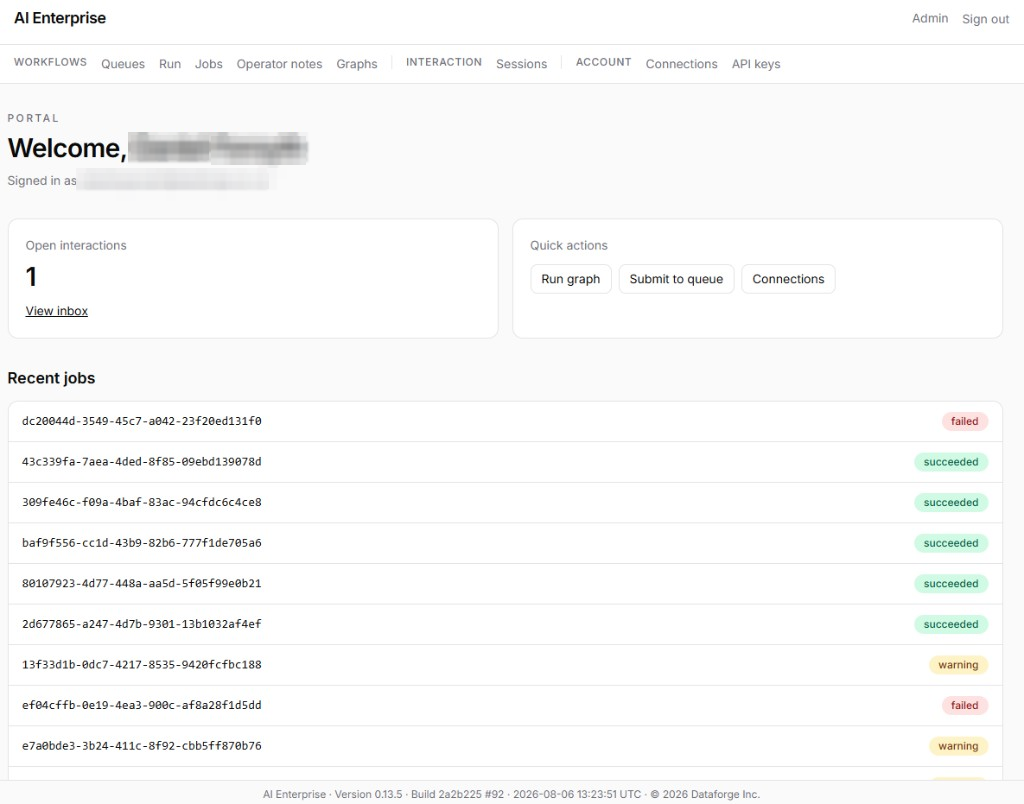
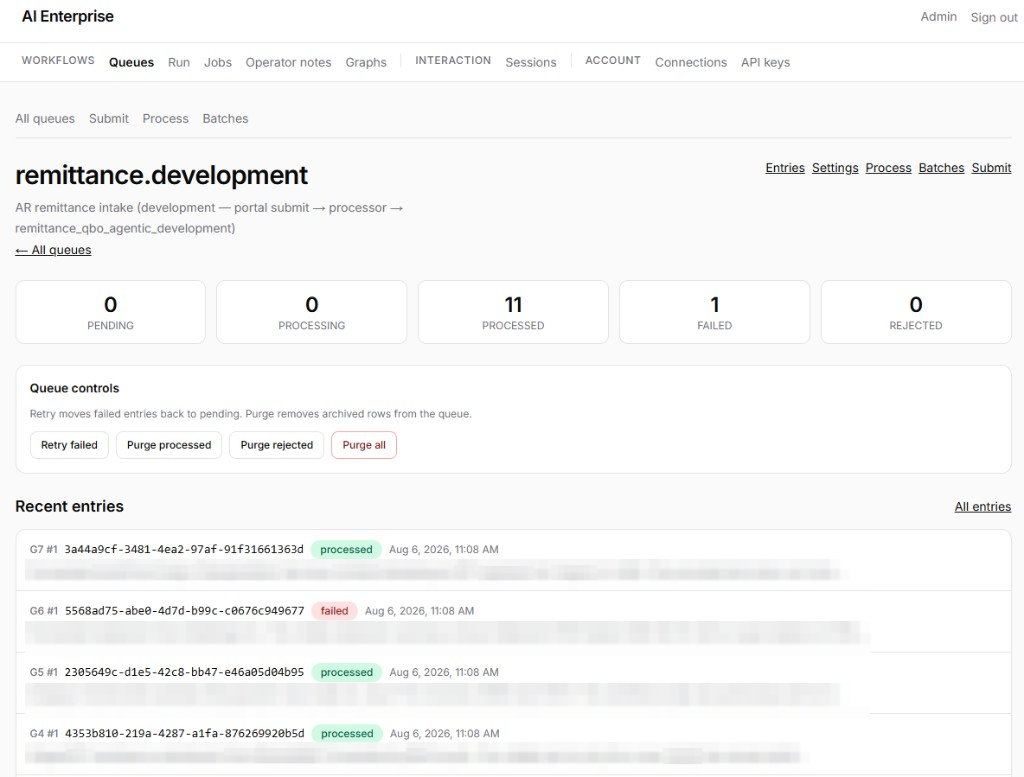
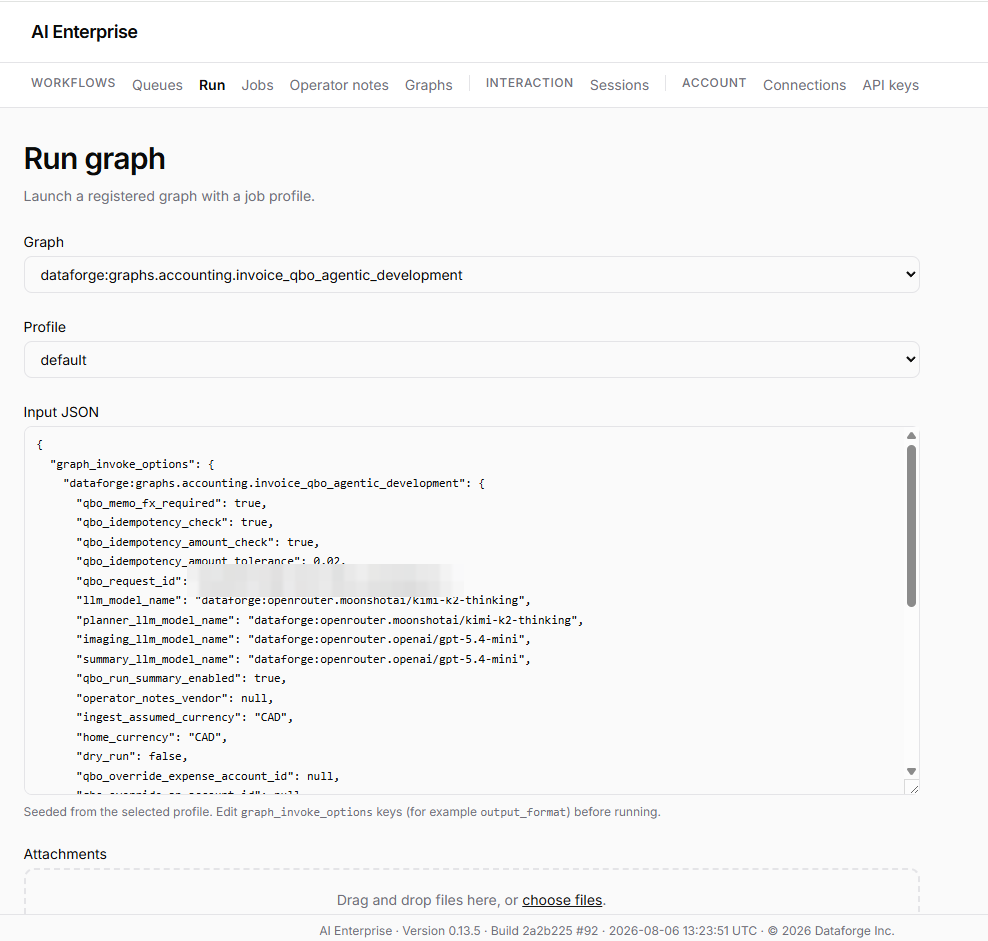
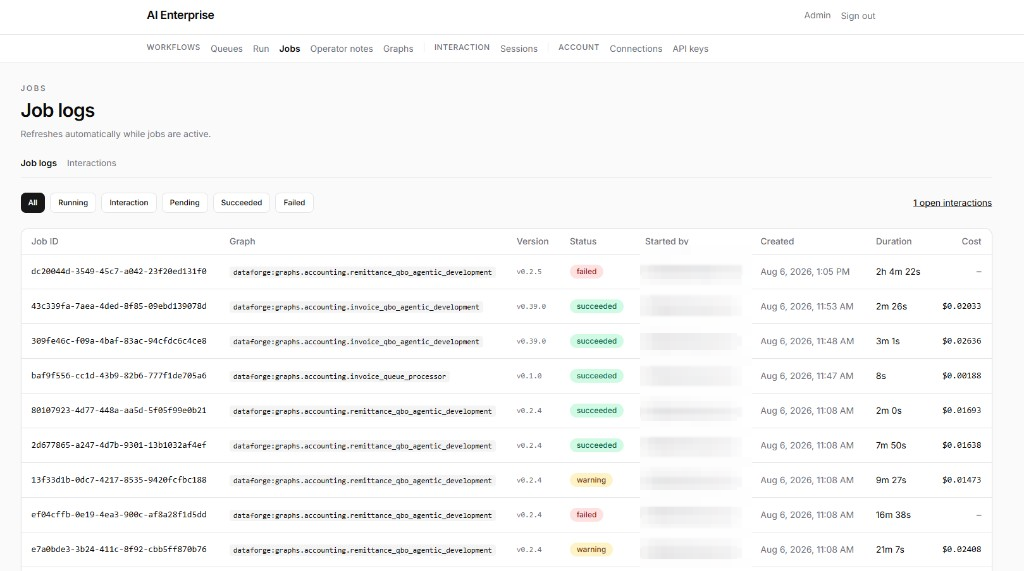
Real screens from AI Enterprise: queues, runs, job history, operator notes, interactions, and admin.
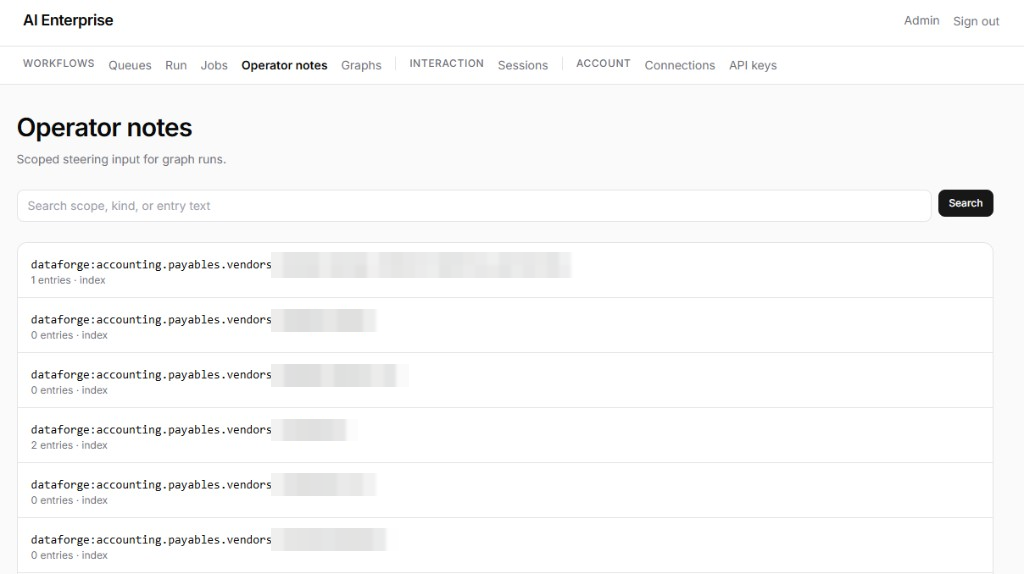
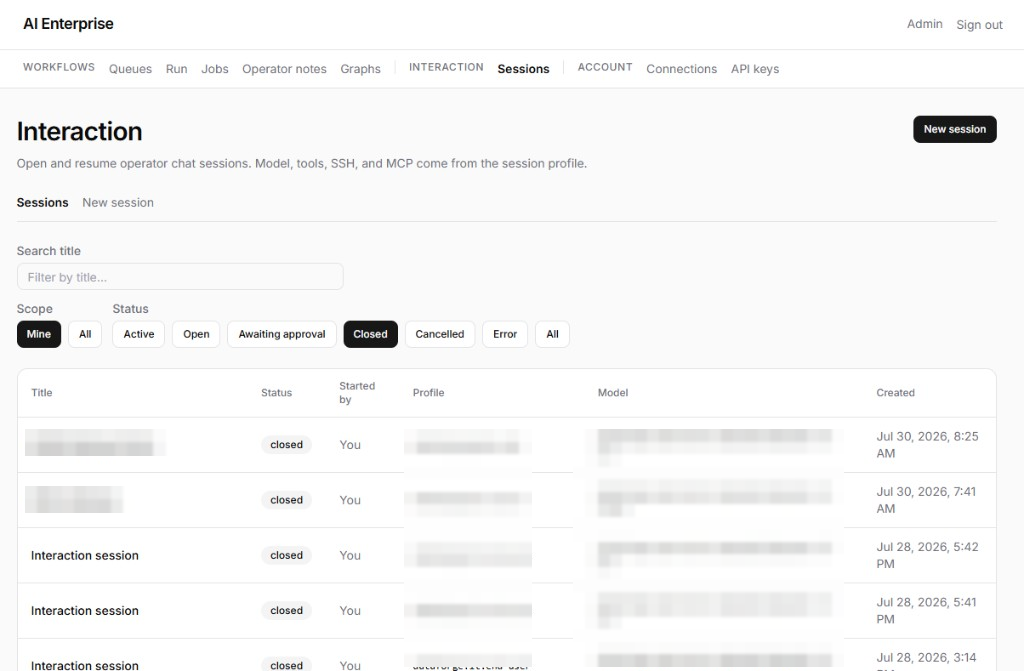
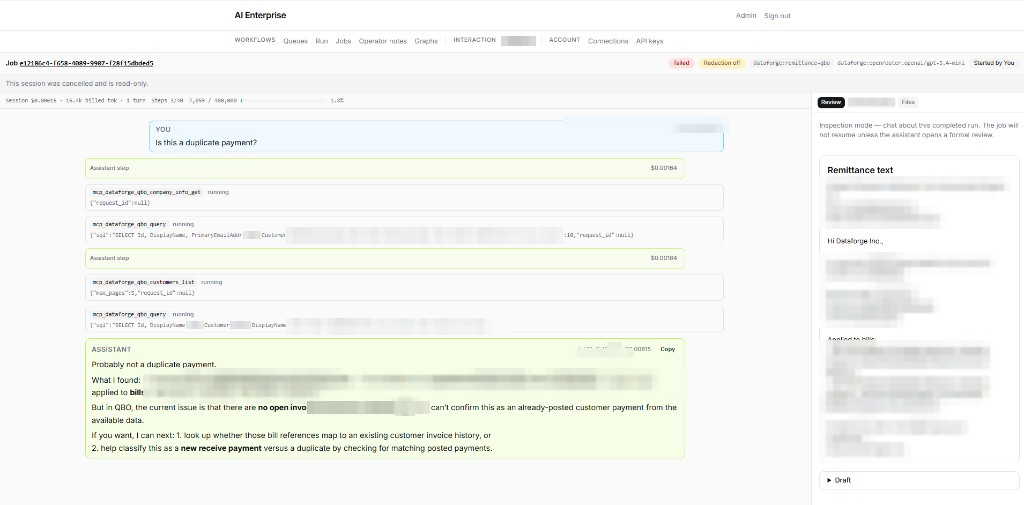
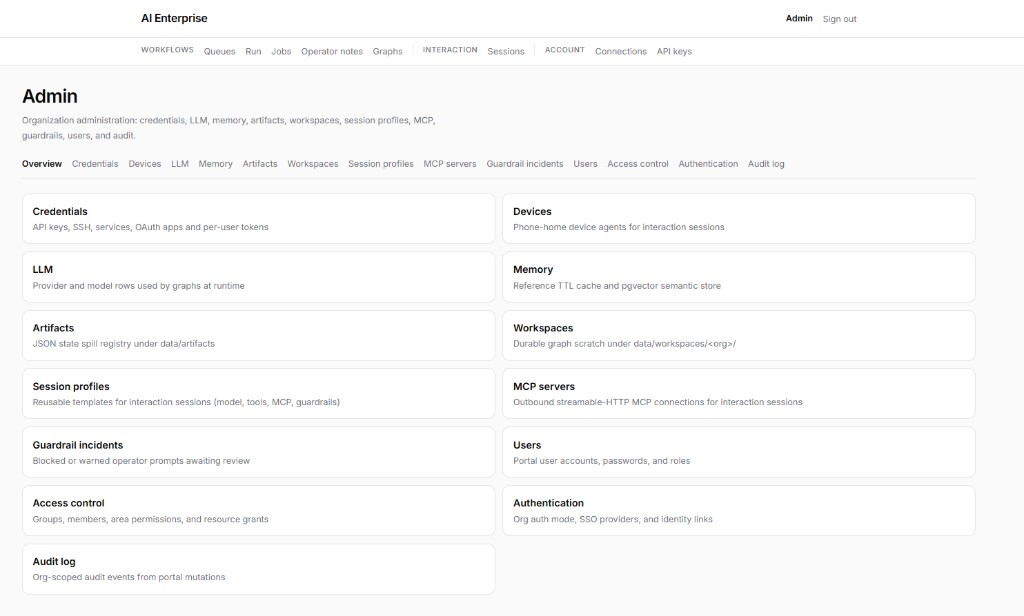
Portal home
Signed-in overview with open interactions, quick actions (run graph, submit to queue, connections), and recent job status.
Click any screenshot to enlarge.
A paper trail for every run
Every run keeps a full, inspectable record.
Explicit job status
Succeeded, failed, cancelled, or waiting on interaction. Leadership can see what ran and what each job cost.
Inspectable history
From the job record you can inspect inputs, outputs, summaries, and cost rollups. Traces answer what the system did when something goes wrong.
Operator checkpoints
A job can request operator input, keep a checkpoint, and resume after accept, edit, or reject. Those decisions stay on the job record.
Built for operational review
- Queues, approvals, and audit around the operational work
- Job and admin history in the portal for operational review
- Artifacts and job log archives kept as files and references
- Named credentials encrypted at rest; not retrievable by portal users
- Multi-tenant isolation: workflows and secrets stay inside organization boundaries
- Portal access control for who can submit, review, and administer
In production at Dataforge
We run AI Enterprise on our own books—not only in demos.
Vendor invoices and general expenses arrive by Office 365 / Exchange email. Jobs check vendors against our approved-vendor database, raise an interaction when a vendor is missing, and can create the vendor file after accounting confirms. Public vendor details and a short note on what the vendor does are recorded to support later expense guidance. CAD and USD are detected with conversion when needed. Voucher data entry is cleaner and more precise than our manual process, including expense classification.
"The data entry is better than we can do by hand. Voucher data is clean and precise—even expense classification is more consistent."
This is a controlled workflow, not an open-ended agent. Many steps prepare a draft and run it through a validator before tools are used, which keeps behaviour limited and cost low—about 5 to 10 cents CAD per invoice in our current mix. Operator notes act as standing policy: change a note on a vendor and later jobs follow it without relying on someone to remember.
Volume is modest (~100 documents/month) and document quality varies widely. Time saved is about three hours a week today; the larger win is quality and consistency.
Current results
From current production and beta use. Results vary by tenant and document mix.
90%+
Vendor invoices into accounting systems
Share of vendor invoice volume on the JCS path with little or no manual re-keying since the latest workflow version. The rest needs operator review or exception handling.
5–10¢
Typical cost per invoice (CAD)
From our in-house QuickBooks Online path: constrained workflow steps and draft-then-validate processing keep run cost low.
99%
Vendor remittance processing
Share of remittance work completed through the automated remittance workflows.
Excellent
Large documents, translation, and audio
Long documents, translation jobs, and audio or video through to a formatted report in current use.
"Many steps don't get tools directly—they process the data, create a draft, and run that draft through a validator. That keeps costs way down. We process invoices for around five to ten cents CAD."
Operator notes
Guide jobs with plain written guidance. Write it once, attach it to a scope, and later runs follow it—like a constantly enforced policy. No coding required.
- Persist across jobs going forward
- Stay scoped to the vendor or topic they belong to
- Editable by finance or ops without a workflow code change
"For Vendor X, post freight to account 6100. If the invoice currency is USD, pause for review."
Accounting can change a vendor note once; every later job follows it—like a constantly enforced policy.
Main feature areas
Jobs, queues, batches, interactions, operator notes, and integrations.
Jobs
One run with status, history, cost, and deliverables. Portal submit and queues feed the same job model.
Queues
Input queues for jobs. Named buffers for intake and handoffs (for example new invoices → ready to book) so work moves through stages without living in the inbox.
Batches
Group a set of related data being processed. Keep track of the jobs, re-runs, and interactions that belong to that batch as one unit of work.
Interactions
When a job needs more input or an operator needs to review what happened, the run pauses for accept, edit, or reject before it continues.
Operator notes
Ordinary written notes that guide how jobs run and when to ask a person. No coding required.
MCP services & credentials
Connect through MCP tool servers and secured credentials (encrypted at rest, not retrievable by users; OAuth where needed) for QuickBooks Online, Office 365 email, and other business apps.
Device agents
Enroll trusted machines so a job session can reach remote systems under allowlists and credentials.
Cloud or on-premise
Available in both deployment models. On-premise is a premium option and subject to site and equipment discovery.
"Some invoices don't have the required data. The system has been versatile so far—far beyond a normal template system."
Case studies
Real Job Control System runs—starting with how we use AI Enterprise on our own books.
Over 90% of Vendor Invoices Booked with Cleaner Data Entry
In-house AI Enterprise path: vendor invoices and expenses from Office 365 into QuickBooks Online—over 90% automation, ~100 docs/month, ~3 hours/week saved.
Frequently Asked Questions
Interested in beta?
Select beta testers only. Contact us to ask about access.